Find your light.
Adjust exposure and brightness. Fine-tune contrast and compensate for backlighting.
 CamFinch
Pricing
A little more control. Right in your menu bar.
Get the picture the way you want it. Adjust your USB webcam, save your favorite settings, and get back to your call.
Made for Mac · macOS 14 or later
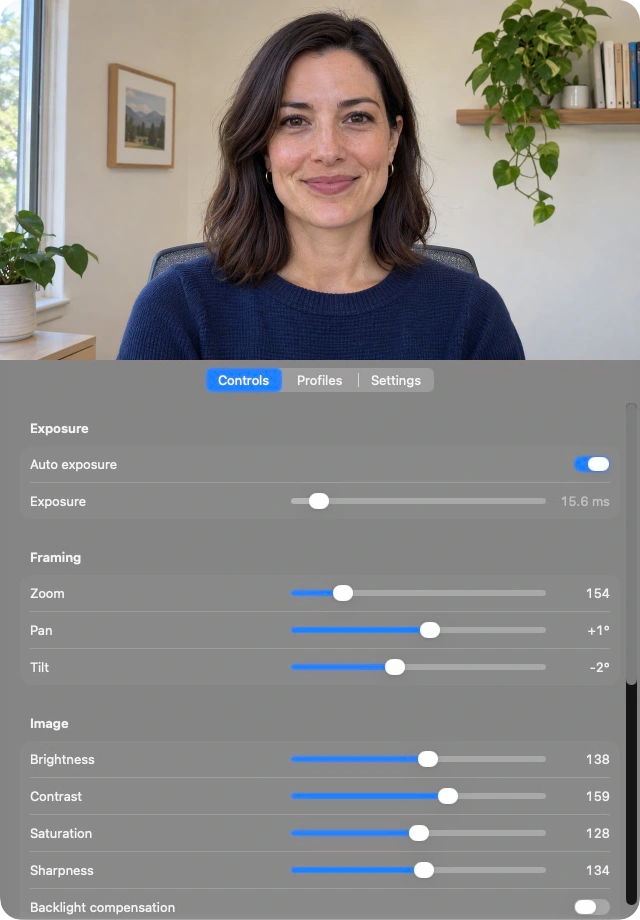
A better handle on your camera
Automatic when you want it. Hands-on when you need it. CamFinch puts your camera’s supported settings in one place.
Adjust exposure and brightness. Fine-tune contrast and compensate for backlighting.
Set white balance, saturation, and sharpness to suit your space and your lighting.
Use the focus, zoom, pan, and tilt controls your webcam makes available.
Every webcam is different. CamFinch shows the controls yours supports.
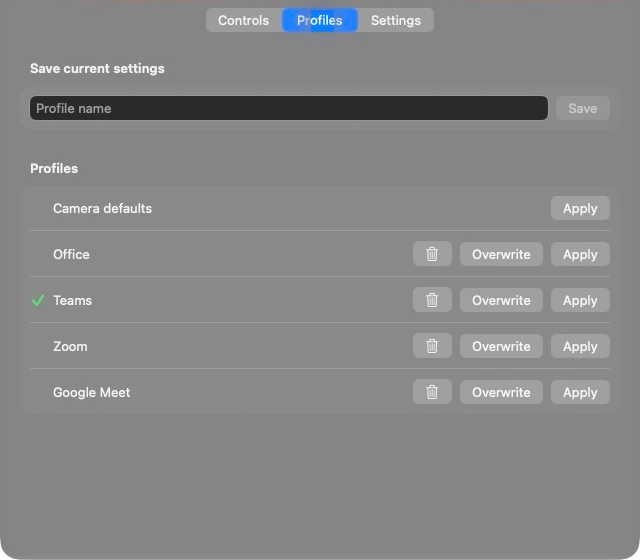
Get back to your good settings
Found a look you like? Give it a name. Save profiles for your camera model and switch between them whenever your room, lighting, or plans change.
Your favorites stay ready for next time. And your camera’s defaults are always a click away.
Profiles are applied by you. Naming one after a call app doesn’t make it switch automatically.
A little help staying consistent
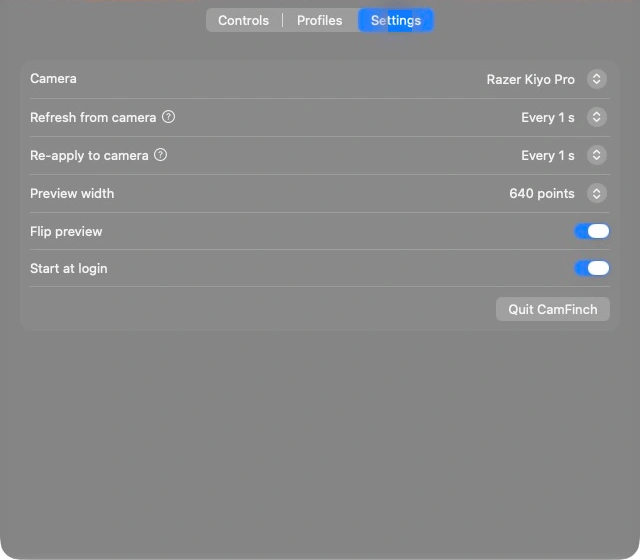
Some video apps change your camera settings. Turn on Re-apply to camera and CamFinch periodically restores your chosen values, even while its panel is closed.
Puts your chosen settings back.
RefreshUpdates the sliders to what the camera reports.
Local by design
CamFinch doesn’t record your video or send it anywhere. Your preview, settings, and profiles stay on your Mac. The app has no account, tracking, or network connections.
Read our privacy policyBefore you buy
CamFinch is made for external webcams that expose standard USB Video Class (UVC) controls.
macOS 14 Sonoma or later.
Apple silicon or Intel.
A compatible USB UVC webcam. Available settings depend on the model and firmware.
Razer Kiyo Pro. More models can expose compatible UVC controls, but haven’t yet been verified by us.
May be available for preview. Manual USB UVC control is not supported.
CamFinch changes supported settings on the webcam itself. Your call app continues to use that camera. Behavior can vary when another app also changes settings; the optional Re-apply setting can help restore your choices.
Different cameras expose different controls. CamFinch checks what your camera supports and hides unavailable options. Expand “Not supported by this camera” in the app to see the list.
No. It adjusts the camera’s own settings and offers a live preview. It doesn’t record video, add background effects, or create a virtual camera.
No. One purchase includes all features. The introductory U.S. price is $6.99 for the first 60 days of availability; the regular price is $9.99.
No. Flip preview changes only the view inside CamFinch. It doesn’t flip the camera output used by other apps.
A little bird for your menu bar
All features included. No account. No subscription.
$6.99USD
First 60 days of availability, then $9.99 USD.
One purchase. All features included.
Questions? Get in touchmacOS 14+ · Compatible USB UVC webcam required